


My Town : Beach Picnic
4.0381.00 Reviews
App Specs
- Version
- 7.03.09
- Updated On
- License
- $4.49
- Downloads
- 500,000+
- Developer
- My Town Games Ltd
- Categories
- Educational
- Platform
- Android
Screenshots
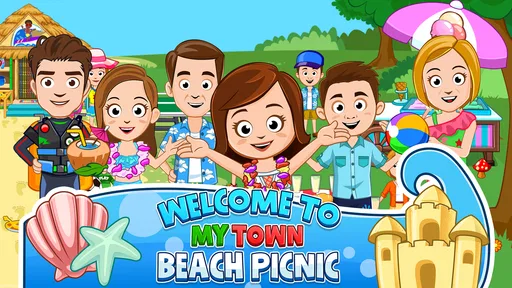



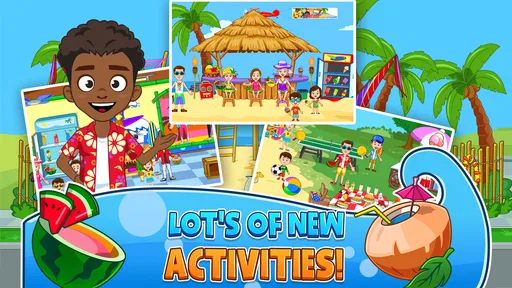
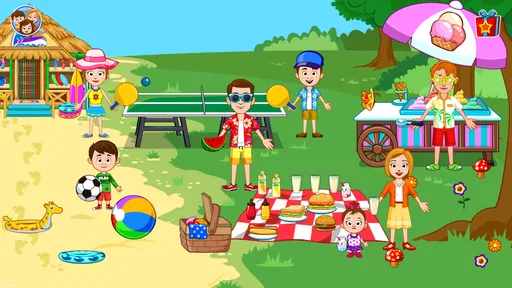
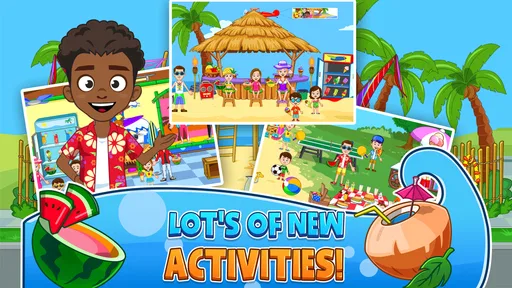
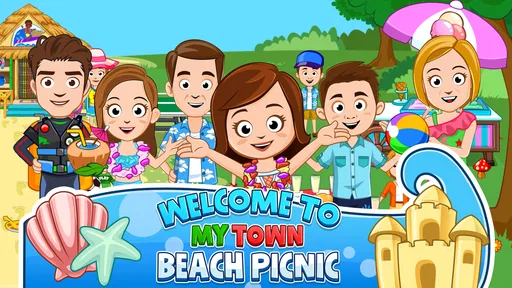
 Analysis by AppCompare
I approached My Town : Beach Picnic expecting a simple children’s beach scene, but its appeal became clearer after I stopped looking for a traditional objective. This is an educational imagination game from My Town Games Ltd, built around choosing characters, moving objects, and creating small stories at your own pace. I do not play it to win a level or beat a timer. I open it when I want a relaxed, hands-on space where a child can decide what happens next.
The first important thing to understand is that the game’s “action” is not a puzzle answer or a racing move. It is the decision to touch something, move it, combine it with the scene, and see how that changes the picnic. That makes it especially approachable for younger players who may not yet read confidently. The experience is visual and immediate, so a child can begin experimenting without needing a long explanation from an adult.
How the beach picnic loop works in practice
I focus here on what makes the beach picnic session feel satisfying rather than simply describing its open-ended format. In my experience, the useful question is whether each small choice gives a child a reason to continue the story; that also helps explain why some players settle into the game while others may want clearer goals.
The first action is choosing what kind of story to make
My favorite way to start is to treat the beach as a little stage rather than a fixed activity. I choose a character, look around the available setting, and begin by placing or moving something that catches my attention. That first action matters because it gives the child control immediately. There is no pressure to follow a correct order, and the game does not make the opening feel like a test.
For a child, this can be as simple as deciding who is arriving at the picnic, where everyone should sit, or what should happen near the water. An adult can join in by asking open questions instead of giving instructions: “Who brought the food?” or “What happens if the weather changes?” The point is not to force a lesson into every tap. The value comes from letting the child make a choice and then build on it.
I found this free-form beginning more useful than a conventional educational game when the goal is creative play. Many learning apps present a task, wait for an answer, and immediately judge it. Here, the child can explore without being told that an imaginative idea is wrong. That makes the game suitable for short independent play, but it also gives parents a natural way to turn a few minutes into a shared storytelling activity.
The trade-off is equally clear: children who want explicit missions may wonder what they are supposed to do. There is no strong feeling of “complete this beach challenge and unlock the next one.” If your child needs visible goals, levels, or a clear reward screen, this will feel open-ended rather than motivating. I see that as a deliberate part of the design, but it will not suit every player.
Worth Reading Before You Choose

EA SPORTS FC Mobile 26 Is a Bigger Football Game, but It Takes Time

Flipboard Shows What News Apps Must Do Beyond the Feed

Switching to Android Auto Means Rethinking Your Driving Routine

Google Calendar Makes a Crowded Week Easier to Manage

Ludo King Makes the Most of the Minutes Between Plans

Baby Panda World Brings Quick Play to Modern Phones, but Its Game Library Feels Busy
Small actions create an immediate feedback rhythm
The satisfying rhythm comes from action and response. I move a character or object, watch the scene change, and decide whether that new arrangement suggests another idea. The feedback is not mainly a score. It is the visible result of the child’s choice. A picnic looks different when the characters, props, and positions change, and that difference is enough to encourage another experiment.
This rhythm is helpful for children who learn through doing. Instead of explaining how a scene works, I can let them test it. If a child places something in an unexpected spot, the result can become part of the story rather than a mistake that needs correcting. That is one of the stronger educational qualities here: the game supports cause and effect, sequencing, spatial decisions, and verbal storytelling without turning those skills into worksheets.
A useful routine is to give the child one simple starting prompt, then stay quiet for a while. For example, I might suggest that everyone has arrived at the beach and then let the child decide what happens next. After a few actions, I ask them to describe the scene. This turns the game into a gentle language exercise, especially when the child explains who is doing what and why.
Another practical tip is to avoid moving everything at once. When several objects are changed rapidly, the child may enjoy the activity but lose track of the story. I get more value from choosing one character or prop, observing the result, and then asking what should happen next. That slower rhythm makes the creative process easier to follow and gives the child ownership of the sequence.
The feedback can also become repetitive for older children. Once the novelty of moving items fades, there may not be enough challenge to hold their attention for a long session. I would use it as a flexible play space rather than a substitute for a structured curriculum. It encourages exploration, but it does not replace reading practice, mathematics exercises, or a lesson with measurable progress.
The reward is the story, not a high score
The main reward I felt was the moment a collection of separate actions turned into a scene with a personality. A child may start by arranging a picnic and end up inventing a problem, a visitor, or a reason everyone needs to move. That transition from touching objects to telling a story is where the game earns its place in the educational category.
I especially like the way the reward can be shared. A child can show a parent what has been created, explain the characters’ roles, or recreate a funny moment for a sibling. The game therefore works well in a waiting room, during a quiet afternoon, or as a short wind-down activity when a child wants control without a competitive atmosphere. It is also a reasonable option for a child who becomes frustrated by losing in conventional games.
There is a subtle benefit in allowing the child to decide when a scene is “finished.” In many games, completion belongs to the program. Here, completion can mean that the picnic has a beginning, middle, and ending in the child’s imagination. That flexibility supports creative confidence, although it also means adults may need to help define a stopping point.
One approach that worked for me was to ask the child to make three changes to the scene and then tell the story from the beginning. Another was to create a small role-play rule, such as having each character make a different decision. These prompts do not turn the game into something else; they simply help families get more from its open format.
The limitation is that the reward is personal and temporary. There is no reason to keep playing for a collection of achievements or a growing numerical record. If you are choosing an app as a reward for completing homework, a game with clear unlocks may provide stronger motivation. This one is better when the reward you want is conversation, invention, and a calm sense of control.
Resetting the session keeps the play accessible
After a story has run its course, the natural next step is to rearrange the scene and begin again. That reset is important because it prevents one “correct” arrangement from becoming the goal. A child can repeat the same setting with a completely different idea, or simply start over when the first story becomes boring.
I see this as one of the game’s best qualities for younger users. A child does not need to protect a perfect run or worry about failing a level. If the arrangement becomes confusing, the answer is simply to change it. That low-pressure reset makes the game easy to revisit in short sessions, and it also means an adult can introduce a new storytelling prompt without needing to explain a new ruleset.
For everyday use, I would suggest setting a small boundary before play begins. A ten-minute story, a few scene changes, or one shared picnic can give the session a clear shape. Without that boundary, open-ended play can drift, especially when the child keeps rearranging objects without developing a story. The game is flexible enough for both styles, but a little structure from the adult can make the experience more satisfying.
The reset also reveals who may not enjoy this title. Children looking for fast action, competition, complex strategy, or a strong sense of progression will probably outgrow it quickly. It is not the choice I would make for a child asking for a demanding adventure game. I would choose it for imaginative play, particularly when the child enjoys role-playing and making up conversations.
A realistic family use case
Imagine a rainy afternoon when a child has finished a few tasks but is not ready for a long film. I would open the beach picnic, let the child choose the first character and object, and ask for a short story about the arrival. After several actions, we could pause and have the child explain the scene. Then we could reset and make the second version deliberately different: perhaps the characters have a new reason for being at the beach or a different plan for the picnic.
That routine uses the complete loop: the child takes an action, sees the scene respond, receives the reward of a story, resets the arrangement, and starts another session because the next version can be completely different. It is not a formal lesson, but it gives the child practice with sequencing and expression while preserving the pleasure of play.
For independent use, I would keep expectations modest. A child who already understands the controls can explore without constant help, but younger children may still benefit from an adult nearby, especially at the beginning. The most useful adult role is not to control the scene. It is to ask questions, listen, and occasionally suggest a new direction when the child runs out of ideas.
How it compares with more structured children’s games
Compared with educational games built around quizzes, matching, or counting, this title offers less measurable instruction and more freedom. Those alternatives are better when a parent wants repeated practice in a specific skill and clear evidence that the child is advancing. The beach picnic is better when the target is creative confidence, pretend play, and the ability to organize a simple narrative.
Compared with competitive games, it is gentler. There is no need to race another player or recover from a loss, which makes it a comfortable choice for a child who is sensitive to pressure. The compromise is that the game may feel quiet or directionless to children who enjoy constant challenges and visible victories.
It also differs from video content. A cartoon shows a finished story, while this game gives the child room to decide what the story is. That makes it more interactive, but it requires more imagination from the player. If a child wants to sit back and watch, this is not the best alternative. If they want to control the characters and invent the outcome, it has a stronger reason to exist.
Practical details before downloading
The game is rated Everyone, which fits its gentle, family-oriented presentation. It was released on October 20, 2015, and the current version is 7.03.09. On Android, it requires at least version 8.0 of the operating system. I would check the device before installing, particularly if the game is intended for an older phone or tablet.
It is a paid game at $4.49, with in-app purchases listed at $0.99 per item. That pricing matters because the experience is easier to evaluate when you know it is not presented as a completely free download. I prefer being clear about this for families: the initial purchase and any additional item purchases should be considered together when deciding whether the open-ended play style offers enough value.
The game has passed 500K installs and holds a 4.0 average from around 11K ratings, alongside 381 written reviews. Those figures suggest a well-established audience, but they do not change my main advice: choose it for the type of play it offers, not simply because it is popular. A large audience cannot make an open-ended game feel structured for a child who needs goals.
Because the developer is My Town Games Ltd, players familiar with the developer’s character-driven play style may understand the general approach quickly. Even so, I would not buy it expecting a conventional campaign. The beach setting is the reason to choose this particular entry, while the creative sandbox format is the reason to choose the series at all.
Who should choose it, and who should skip it
I would recommend it to families who want a calm educational imagination game that a child can revisit without fear of failure. It is a good fit for pretend-play fans, children who like arranging scenes, and parents who want an easy starting point for storytelling. It can also work well as a shared activity when an adult has only a short amount of time but wants to participate meaningfully.
I would skip it if the main requirement is a curriculum, a progress chart, a difficult challenge, or a sequence of levels. I would also hesitate for a child who quickly loses interest when there is no explicit mission. In those cases, a structured learning app or a goal-driven game would be a better purchase, even if it provides less freedom.
My strongest advice is to decide how you will use it before downloading. As a five-minute creative break, it works because the child can begin immediately and stop without losing progress in a demanding challenge. As a long-term educational program, it is too informal. As a family storytelling tool, however, it has more depth than its simple beach setting first suggests.
My verdict on the action-feedback-reward-reset loop
After spending time with it, I see the loop as a quiet one but a coherent one. The child takes a first action by choosing and moving something, receives feedback through the changing scene, earns a reward by turning those changes into a story, and resets the arrangement when the story is done. Another session begins because the same beach can support a new idea rather than because the game demands another level.
The best reason to play is the freedom to make a scene your own. That freedom is also the central limitation: without adult prompts or a child who already enjoys pretend play, the experience can feel like a collection of movable pieces instead of a complete game. I appreciate that it does not pretend to be a competitive challenge, but buyers should be comfortable with its relaxed pace.
For my recommendation, I would place My Town : Beach Picnic in the “good for creative breaks and shared storytelling” group. It is not the strongest choice for academic practice or high-energy entertainment, yet it offers a friendly way for children to experiment, narrate, and restart without pressure. If that is what you want from a family game, the beach picnic has a clear purpose and enough flexibility to make repeated short sessions worthwhile.
Pros
- Bright
- colorful graphics are appealing to younger children.
- Open-ended play encourages creativity without strict objectives.
- Multiple characters and outfits support imaginative role-play.
- Beach setting offers varied locations to explore and interact with.
- Simple controls are easy for children to learn independently.
Cons
- Some areas and items may require additional purchases to unlock.
- Limited challenge can make the experience feel repetitive over time.
- The game may use considerable storage on older devices.
- Frequent tapping and dragging can be difficult on smaller screens.
- Best enjoyed with supervision if children can access in-app purchases.
FAQs for My Town : Beach Picnic
What is My Town: Beach Picnic?
My Town: Beach Picnic is a child-friendly digital playset where players can create stories around a sunny beach outing. You can explore different areas, move characters and objects, choose outfits, and invent activities such as relaxing by the water, preparing food, or enjoying a picnic. There is no fixed mission structure, so the experience focuses on imagination and open-ended role-play.
Is My Town: Beach Picnic suitable for children?
The game is designed primarily for young children and families, with simple controls, colorful visuals, and non-competitive gameplay. Children can experiment freely without worrying about losing or failing levels. Parents should still review the app’s age rating, privacy information, advertising policy, and any available purchase options before installation, especially if the device is shared with younger users.
Does My Town: Beach Picnic require an internet connection?
The core playset experience is generally intended to be enjoyed offline after the application and its required files have been installed. This makes it convenient for travel or places without reliable connectivity. However, internet access may still be needed for downloading the app, receiving updates, restoring purchases, or accessing store-related features, depending on the device and version.
Are there in-app purchases or advertisements in My Town: Beach Picnic?
Availability of advertisements and in-app purchases can vary according to the platform, region, and version of the game. Some content may be included in the initial download, while additional My Town locations or features may be offered separately. Before downloading, check the Google Play or App Store listing for current pricing, purchase details, and parental-control recommendations.
What can children do in My Town: Beach Picnic?
Children can use the beach setting as a creative stage for their own stories rather than following a strict campaign. They may place characters in different locations, interact with scenery and objects, change clothing, and act out a family picnic or seaside adventure. The game is best suited to players who enjoy exploration and pretend play more than traditional challenges or puzzles.


